In some cases, you need a certificate to establish a secure connection between the ibaPDA server and the cloud provider.
When testing the connection, ibaPDA will automatically ask whether you want to trust the cloud provider's proposed certificate. Without this approval, no connection will be established.
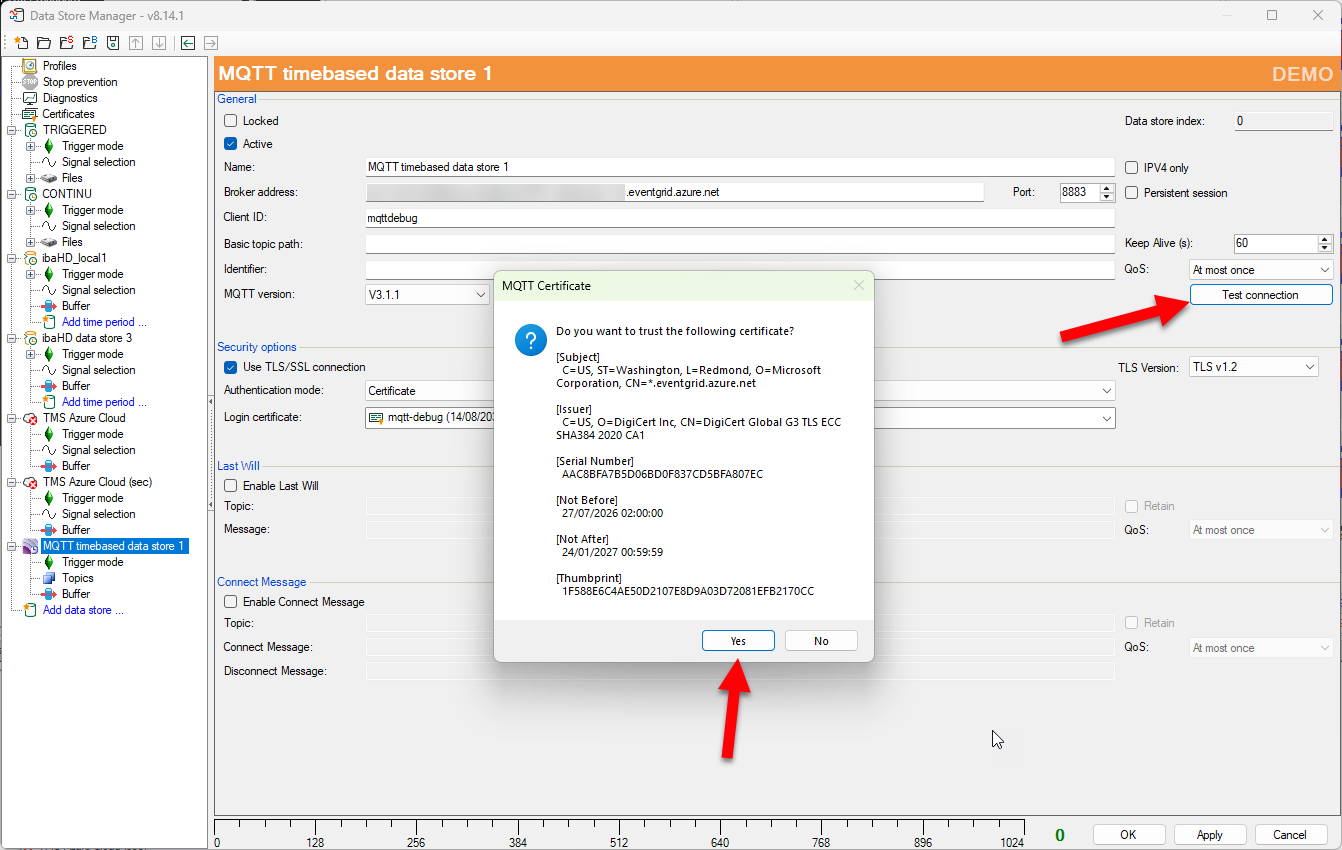
This will add the certificate that allows the connection to be made. The disadvantage of this method is that the issued certificate has only limited validity.
(https://www.digicert.com/blog/tls-certificate-lifetimes-will-officially-reduce-to-47-days)

To avoid approaching this limit, it is better to trust the root certificate and therefore all certificates that use this root certificate by definition. In the example below, the root certificate is "DigiCert Global Root G3."

So, if we download this certificate and manually add it to ibaPDA, it will now work automatically.
(DigiCert website)

Was this article helpful?
That’s Great!
Thank you for your feedback
Sorry! We couldn't be helpful
Thank you for your feedback
Feedback sent
We appreciate your effort and will try to fix the article