Info
The standard path to the backup files is as follows
ibaPDA v8:
I/O Manager and Data Store Manager: \ProgramData\iba\ibaPDA\Backup
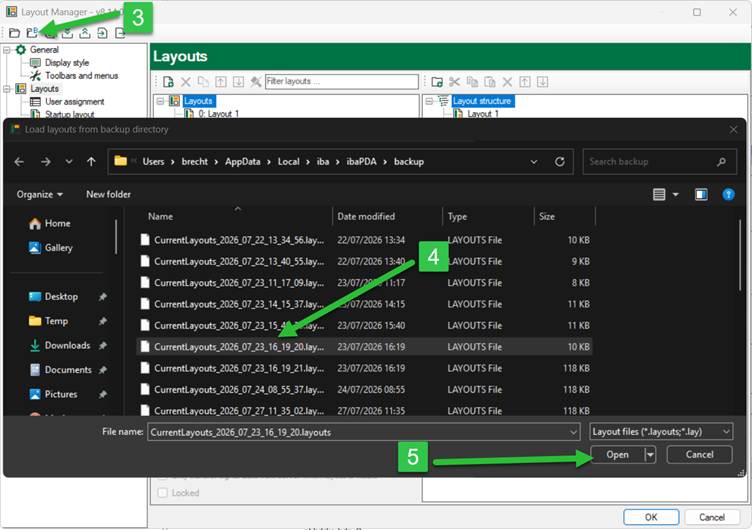
Layout Manager: \Users\User\AppData\Local\iba\ibaPDA\backup
ibaPDA v7:
I/O Manager and Data Store Manager: \Program Files\iba\ibaPDA\Server
Layout Manager: \Users\PDA\AppData\Local\iba\ibaPDA
Or follow the steps explained in this article.
Using ibaPDA v8.14.0
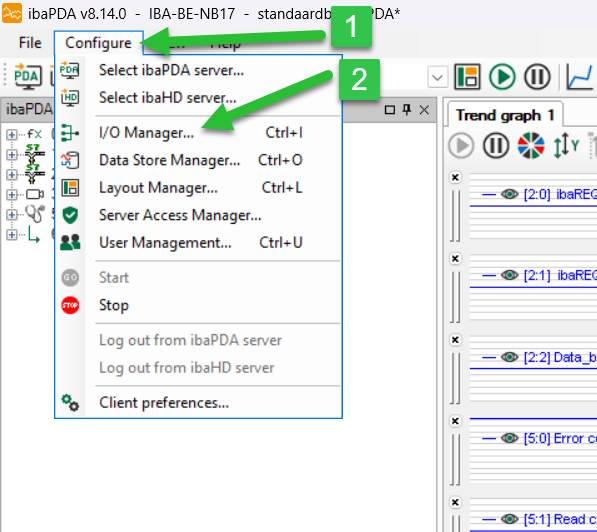
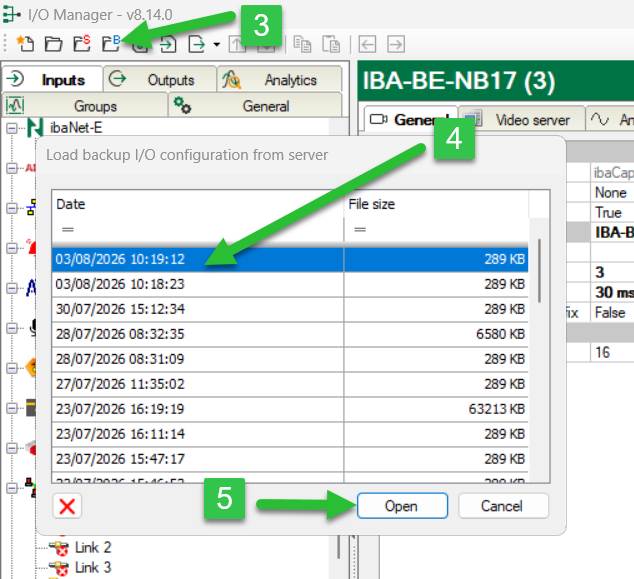
I/O Manager:
- Open ibaPDA and select “Configure”
- Select “I/O Manager”
- Select the folder with the blue “B”
- Select a file
- Click “Open”
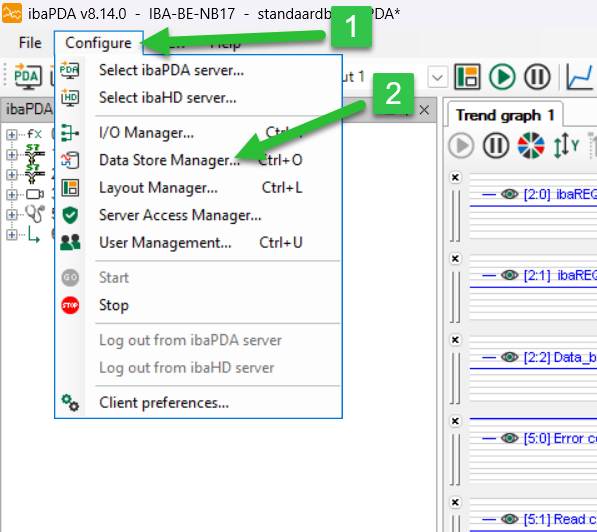
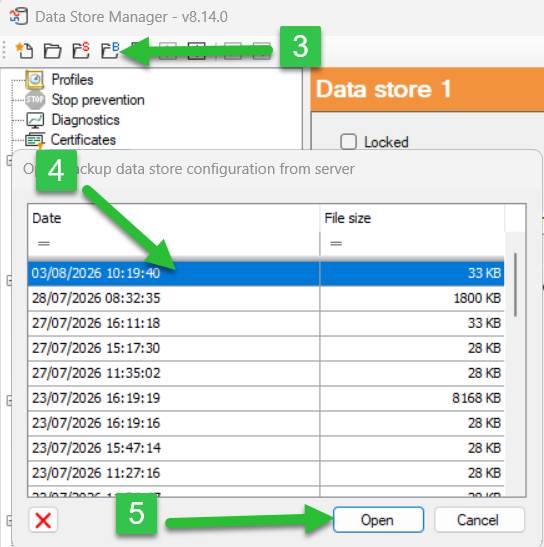
Data Store Manager:
- Open ibaPDA and select “Configure”
- Select “Data Store Manager”
- Select the folder with the blue “B”
- Select a file
- Click “Open”
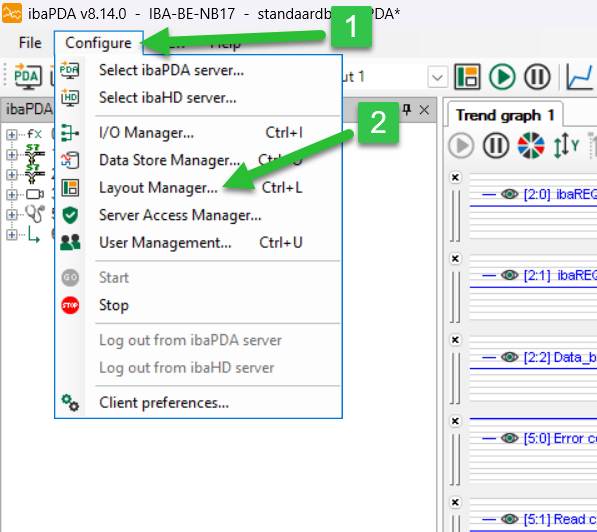
Layout Manager:
- Open ibaPDA and select “Configure”
- Select “Layout Manager”
- Select the folder with the blue “B”
- Select a file
- Click “Open”
Was this article helpful?
That’s Great!
Thank you for your feedback
Sorry! We couldn't be helpful
Thank you for your feedback
Feedback sent
We appreciate your effort and will try to fix the article