Info
The standard path to the backup files is as follows
ibaPDA v8:
I/O Manager and Data Store Manager: \ProgramData\iba\ibaPDA\Backup
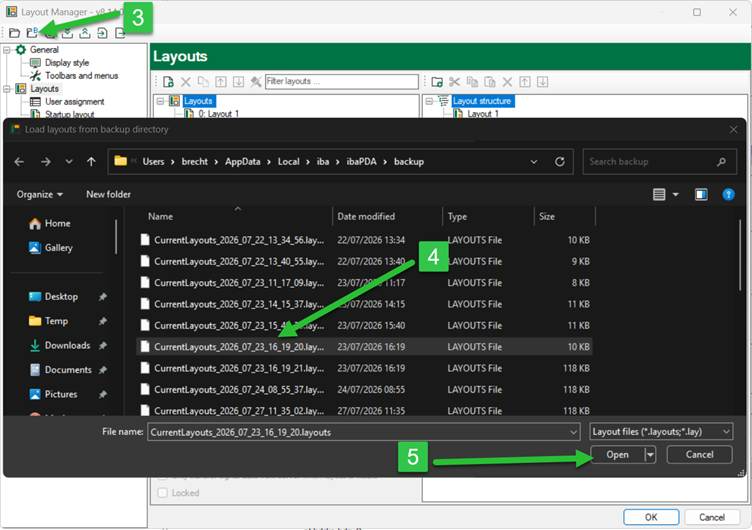
Layout Manager: \Users\User\AppData\Local\iba\ibaPDA\backup
ibaPDA v7:
I/O Manager and Data Store Manager: \Program Files\iba\ibaPDA\Server
Layout Manager: \Users\PDA\AppData\Local\iba\ibaPDA
Or follow the steps explained in this article.
Using ibaPDA v8.14.0
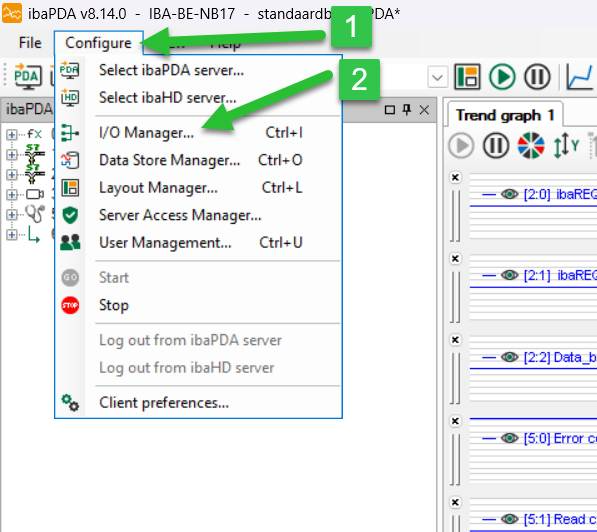
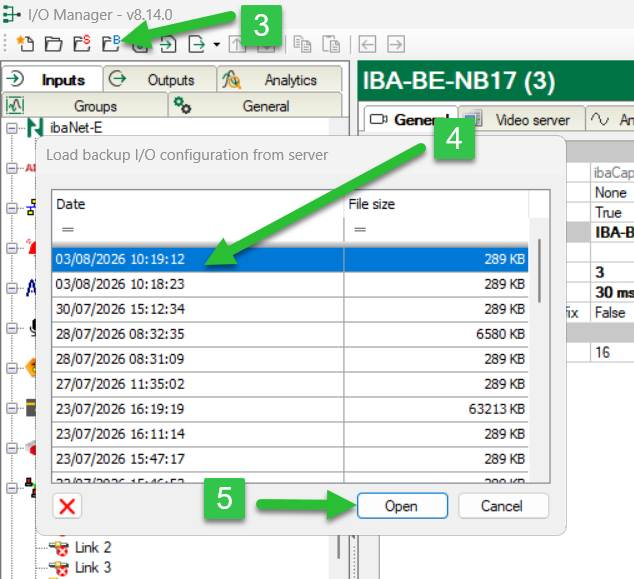
I/O Manager:
- Open ibaPDA and select “Configure”
- Select “I/O Manager”
- Select the folder with the blue “B”
- Select a file
- Click “Open”
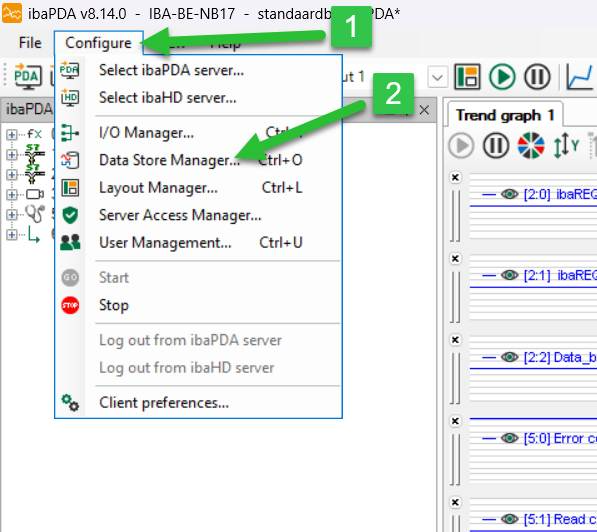
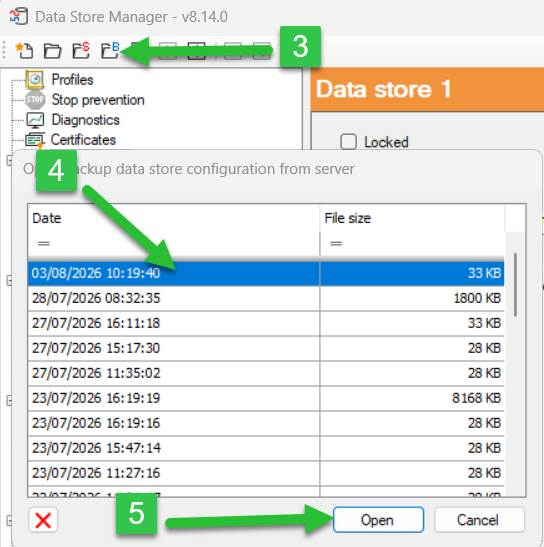
Data Store Manager:
- Open ibaPDA and select “Configure”
- Select “Data Store Manager”
- Select the folder with the blue “B”
- Select a file
- Click “Open”
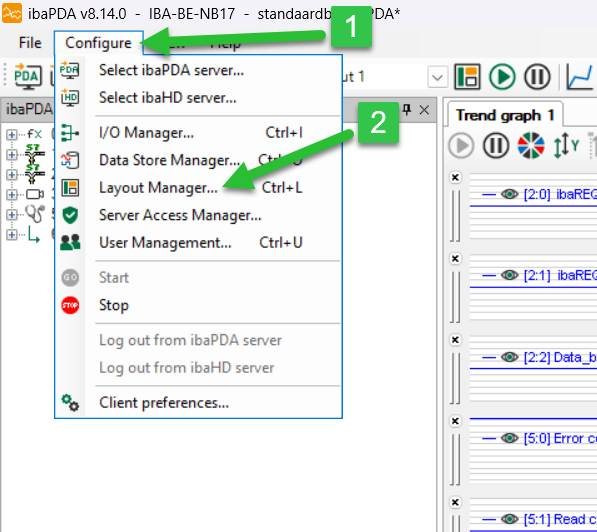
Layout Manager:
- Open ibaPDA and select “Configure”
- Select “Layout Manager”
- Select the folder with the blue “B”
- Select a file
- Click “Open”
Cet article a-t-il été utile ?
C'est super !
Merci pour votre commentaire
Désolé ! Nous n'avons pas pu vous être utile
Merci pour votre commentaire
Commentaires envoyés
Nous apprécions vos efforts et nous allons corriger l'article