Info
The standard path to the backup files is as follows
ibaPDA v8:
I/O Manager and Data Store Manager: \ProgramData\iba\ibaPDA\Backup
Layout Manager: \Users\User\AppData\Local\iba\ibaPDA\backup
ibaPDA v7:
I/O Manager and Data Store Manager: \Program Files\iba\ibaPDA\Server
Layout Manager: \Users\PDA\AppData\Local\iba\ibaPDA
Or follow the steps explained in this article.
Using ibaPDA v8.14.0
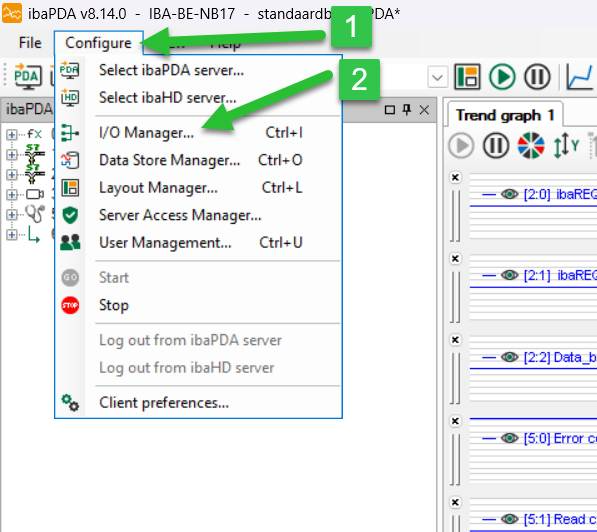
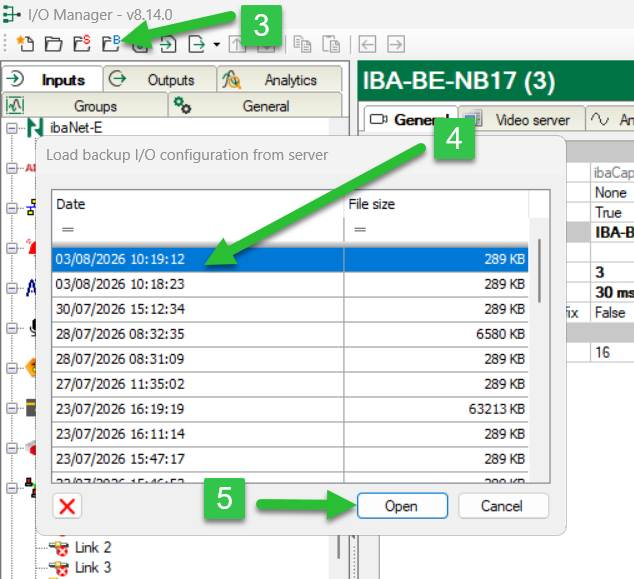
I/O Manager:
- Open ibaPDA and select “Configure”
- Select “I/O Manager”
- Select the folder with the blue “B”
- Select a file
- Click “Open”
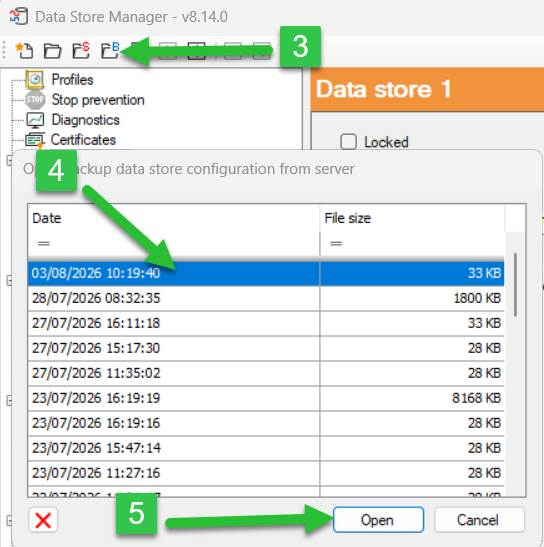
Data Store Manager:
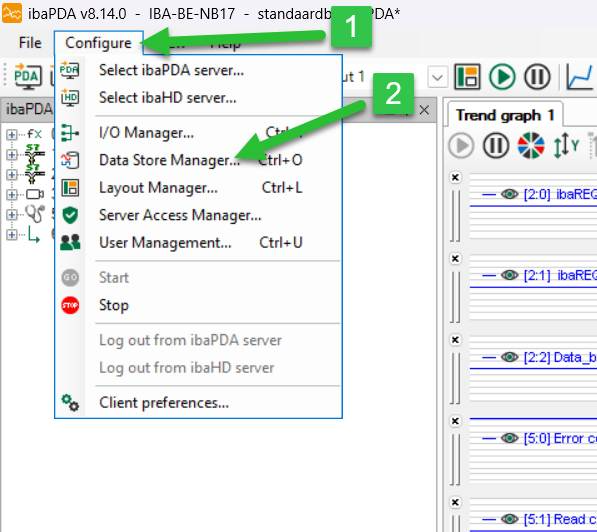
- Open ibaPDA and select “Configure”
- Select “Data Store Manager”
- Select the folder with the blue “B”
- Select a file
- Click “Open”
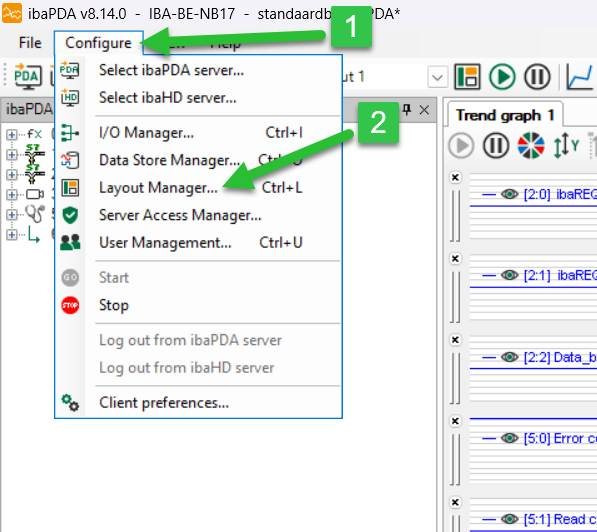
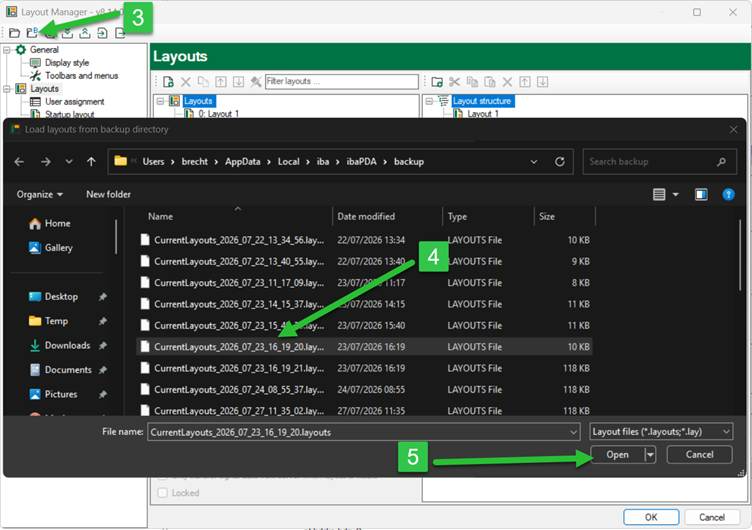
Layout Manager:
- Open ibaPDA and select “Configure”
- Select “Layout Manager”
- Select the folder with the blue “B”
- Select a file
- Click “Open”
¿Le ha sido útil este artículo?
¡Qué bien!
Gracias por sus comentarios
¡Sentimos mucho no haber sido de ayuda!
Gracias por sus comentarios
Sus comentarios se han enviado
Agradecemos su esfuerzo e intentaremos corregir el artículo