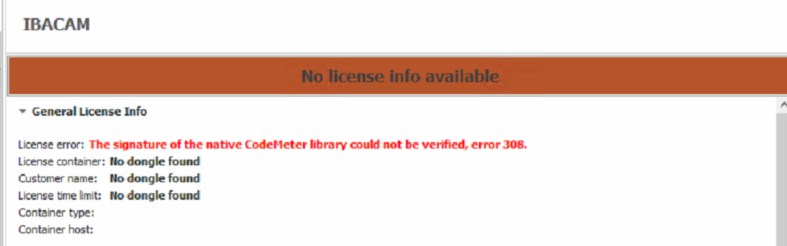
This article gives the solution for the error:
"The signature of the native CodeMeter library couldn ot be verified, error 308."
Windows Server 2012 R2 or above
ibaCapture V5.2.2
Codemeter Control Center 7.60b and 7.60d --> dongle recognized
ibaDongleViewer --> dongle not recognized (no local WIBU found)
ibaCapture --> no license found
The cause is probably incorrectly installed root certificates. Normally, these are updated with Windows updates.
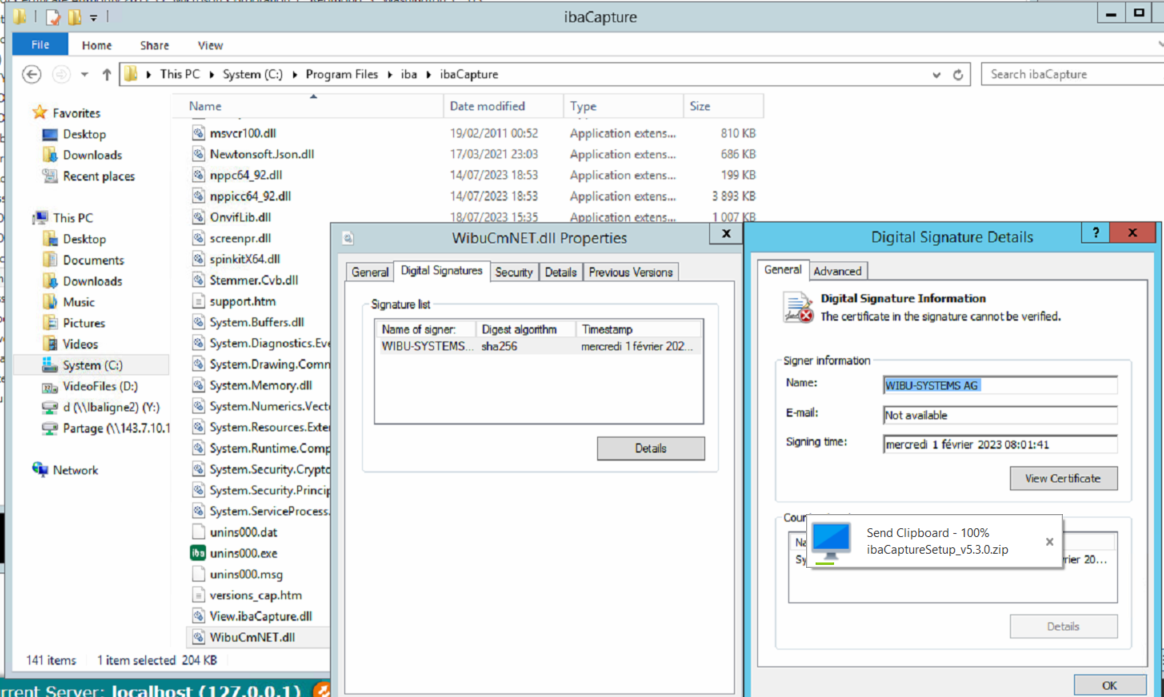
1. check the validity of certificates of the following files:
C:\Windows\System32\cpsrt.dll
C:\Windows\SysWOW64\cpsrt.dll
C:\Program Files\iba\ibaCapture\WibuCmNET.dll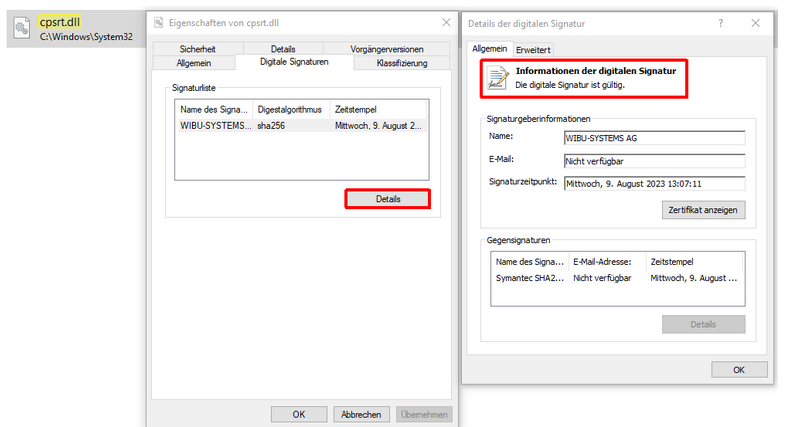
The certificates probably cannot not be verified:
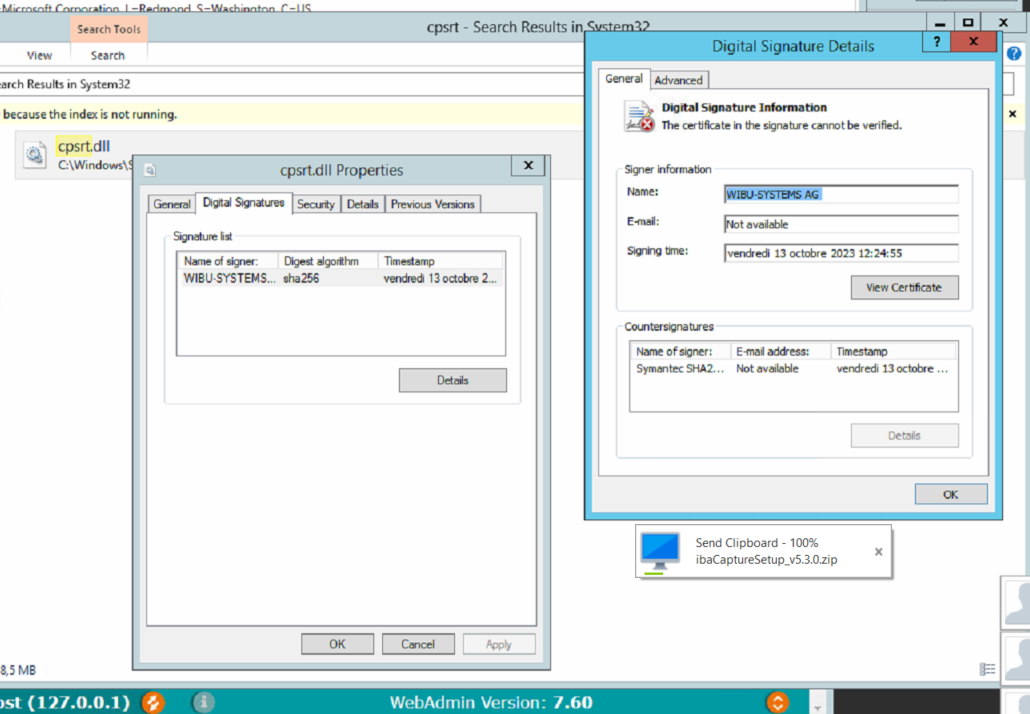
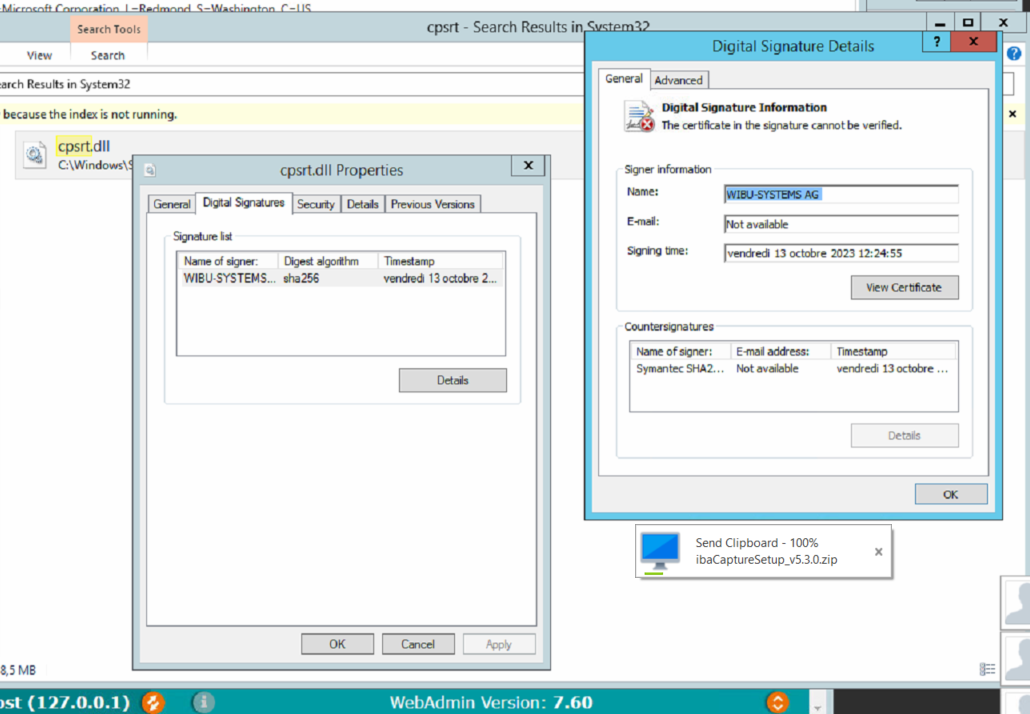
The following certificates were affected in recent cases, check whether they are available and reinstall them if necessary
Check via Powershell command gci -r cert:\localmachine\root | Out-GridView
1. "DigiCert SHA2 Assured ID Code Signing CA" von DigiCert
You can download the root certificate from the official DigiCert homepage: https://www.digicert.com/kb/digicert-root-certificates.htm > DigiCert SHA2 Assured ID Code Signing CA
2. DigiCert Trusted Root G4 cert serial: 059b1b579e8e2132e23907bda777755c: https://www.digicert.com/kb/digicert-root-certificates.htm
3. "VeriSign Universal Root Certification Authority" von Symantec
You can download the root certificate from the official Symantec homepage: https://symantec.tbs-certificats.com/vsign-universal-root.crt
DigiCert Root Certificates - Download & Test | DigiCert.com
DigiCert Root and Intermediate Certificates for TLS, Code Signing, Client, S/MIME, and Document Signing. Download and Test Trusted SSL Certificate Authority Certificates
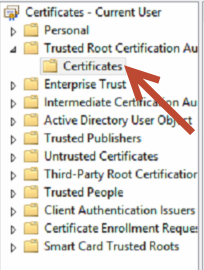
Add them under Truested Root Certification Aut... > Certificates
Restart Codemeter and ibaCapture.
Was this article helpful?
That’s Great!
Thank you for your feedback
Sorry! We couldn't be helpful
Thank you for your feedback
Feedback sent
We appreciate your effort and will try to fix the article