BIOS ROM : P:\00_Production Images\ibaServer v7\BIOS update
Insert a USB drive with the new BIOS ROM into the server.
Start the BIOS by pressing <DEL> during boot-up.
Go to 'Advanced' - 'Instant Flash'
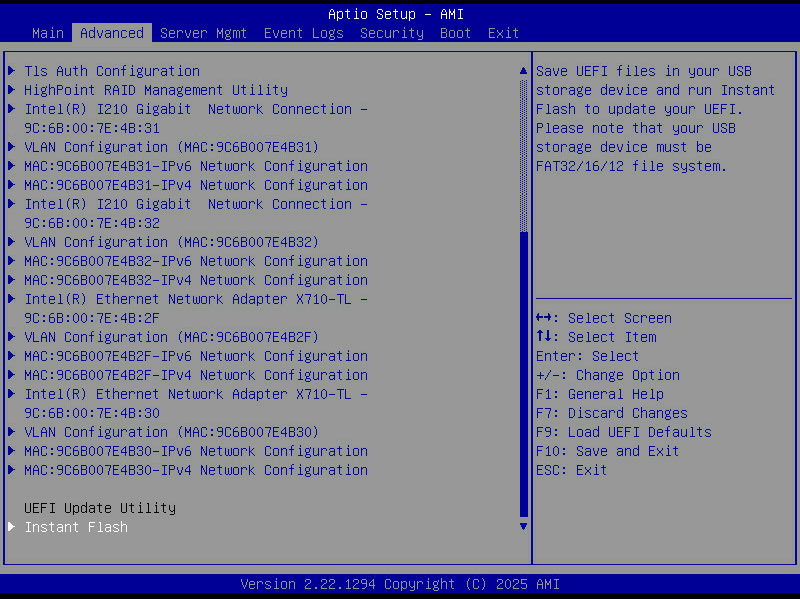
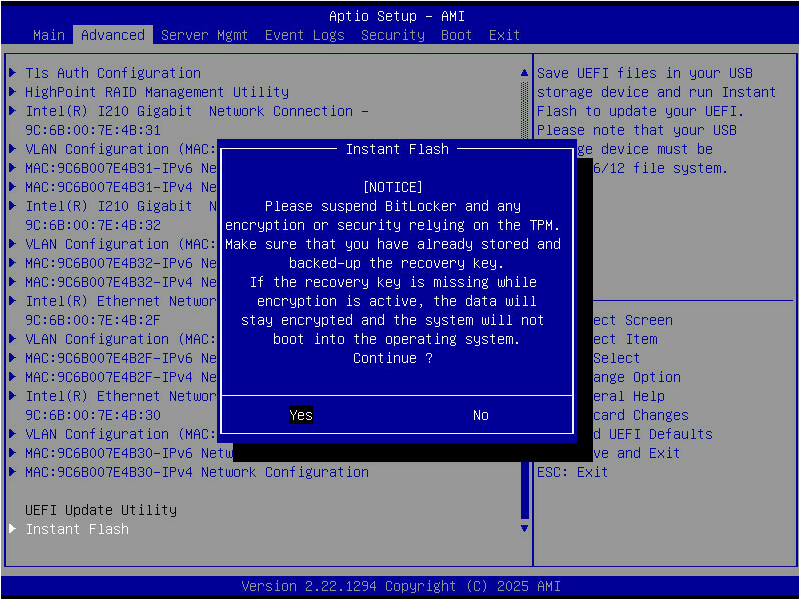
By default bitlocker is not activated on our servers, be aware that TPM related software can be affected by the BIOS update
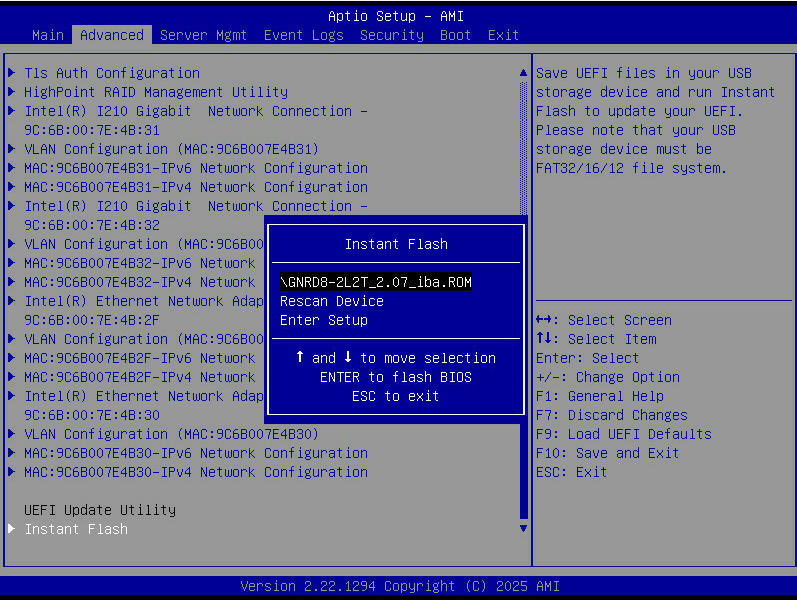
Select the BIOS-update file.
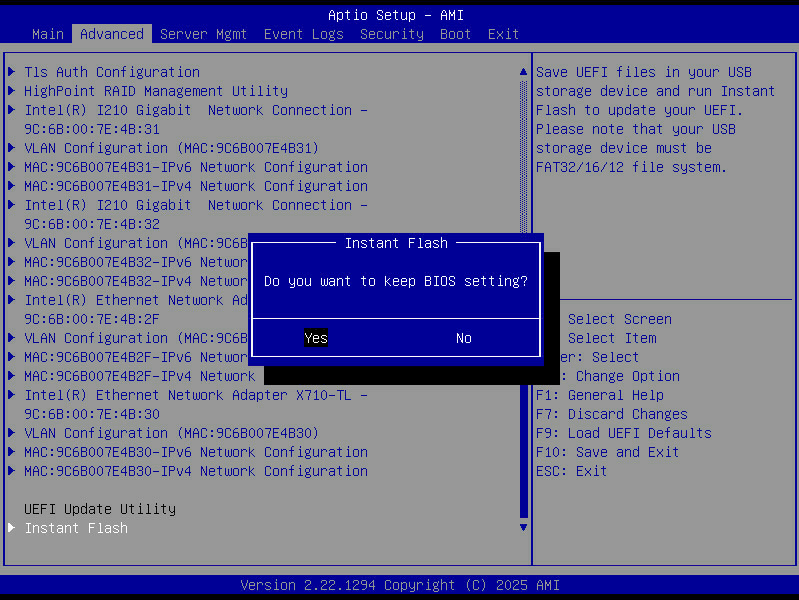
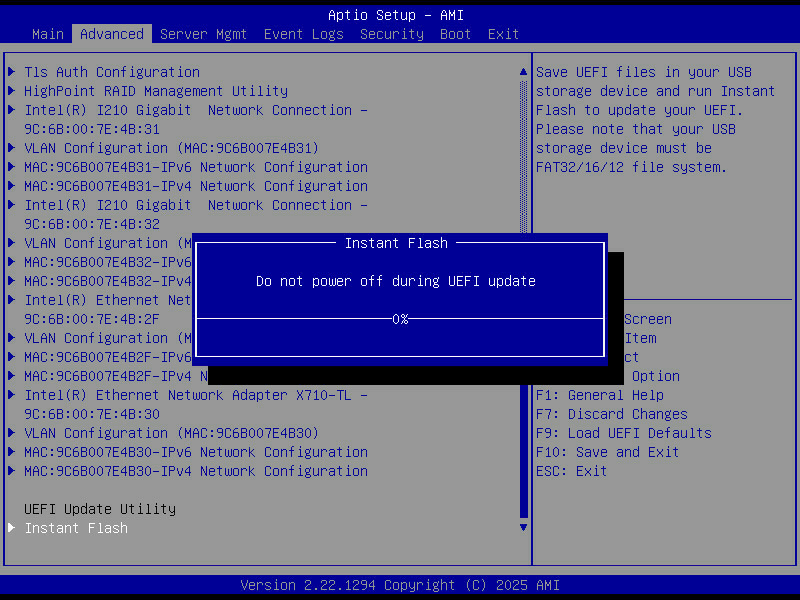
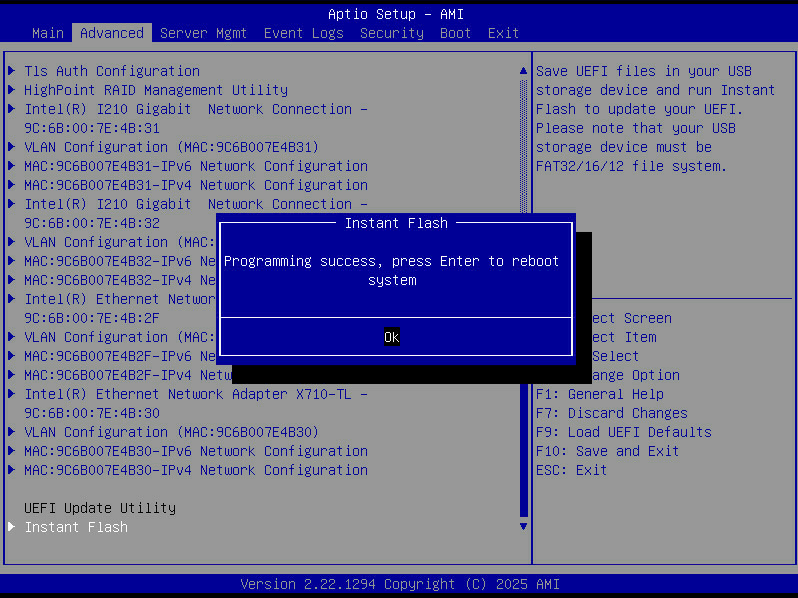
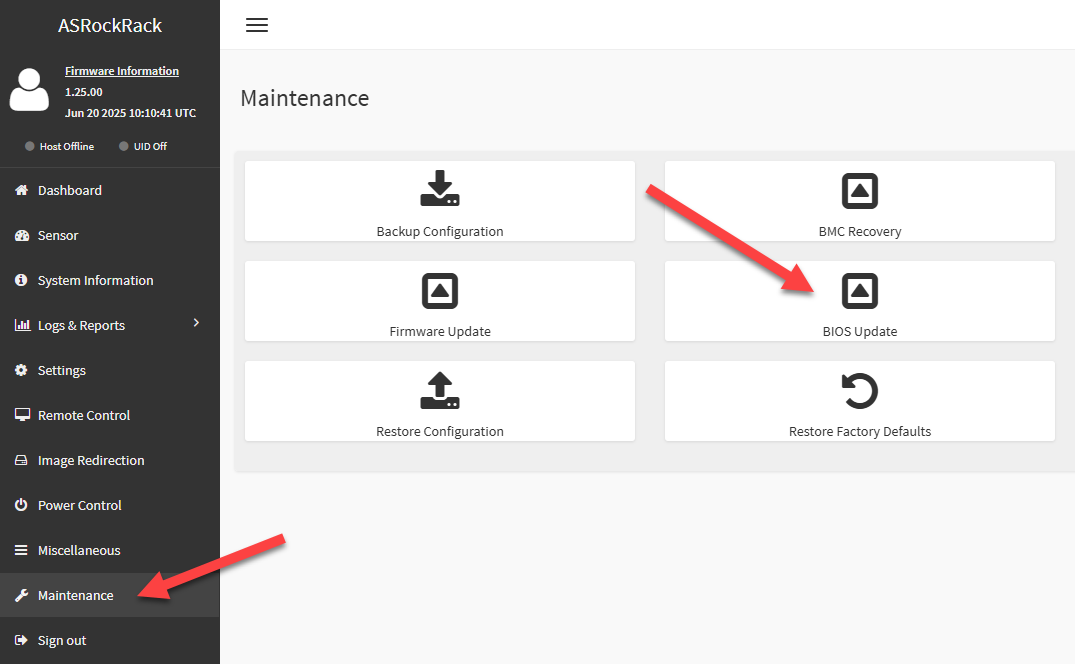
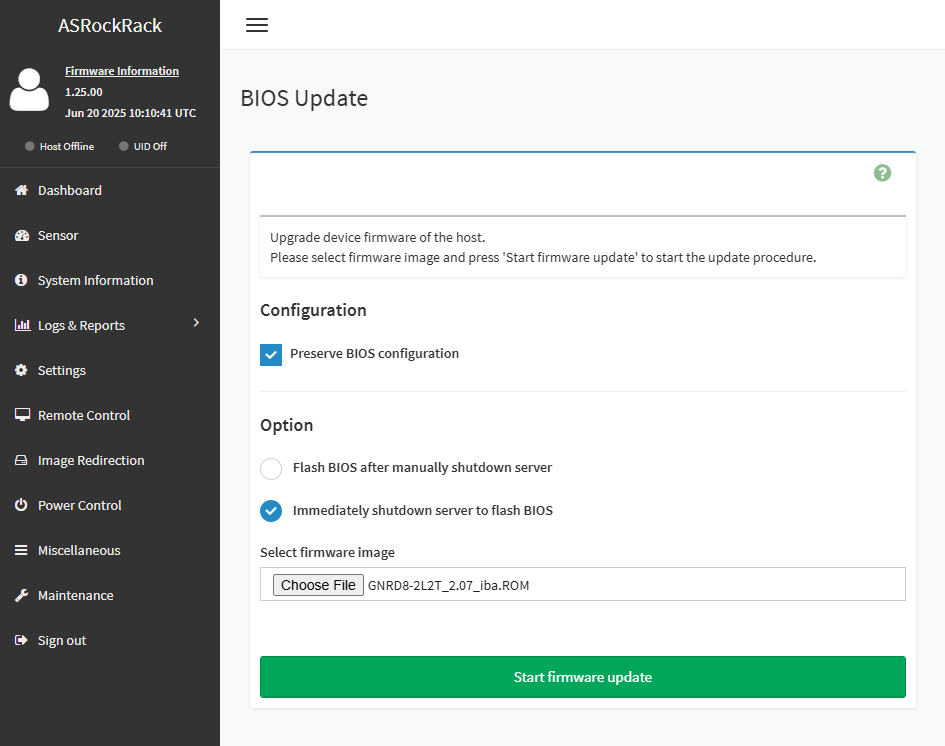
Please note that the BIOS update can also be performed over IPMI
Was this article helpful?
That’s Great!
Thank you for your feedback
Sorry! We couldn't be helpful
Thank you for your feedback
Feedback sent
We appreciate your effort and will try to fix the article