After the Log4J incident in 2021 we get questions on how to monitor the RAID configuration again after MSM was deleted on many systems.
MSM 17.05.06.00 Log4j removed.Download OpenJDK
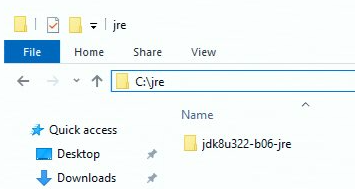
Download and unzip the contents of the following .ZIP to to C:\jre (you may need to create this folder)
Result:
Add OpenJDK to the system
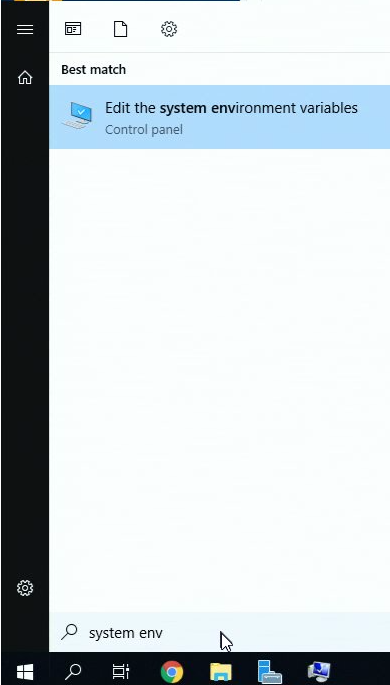
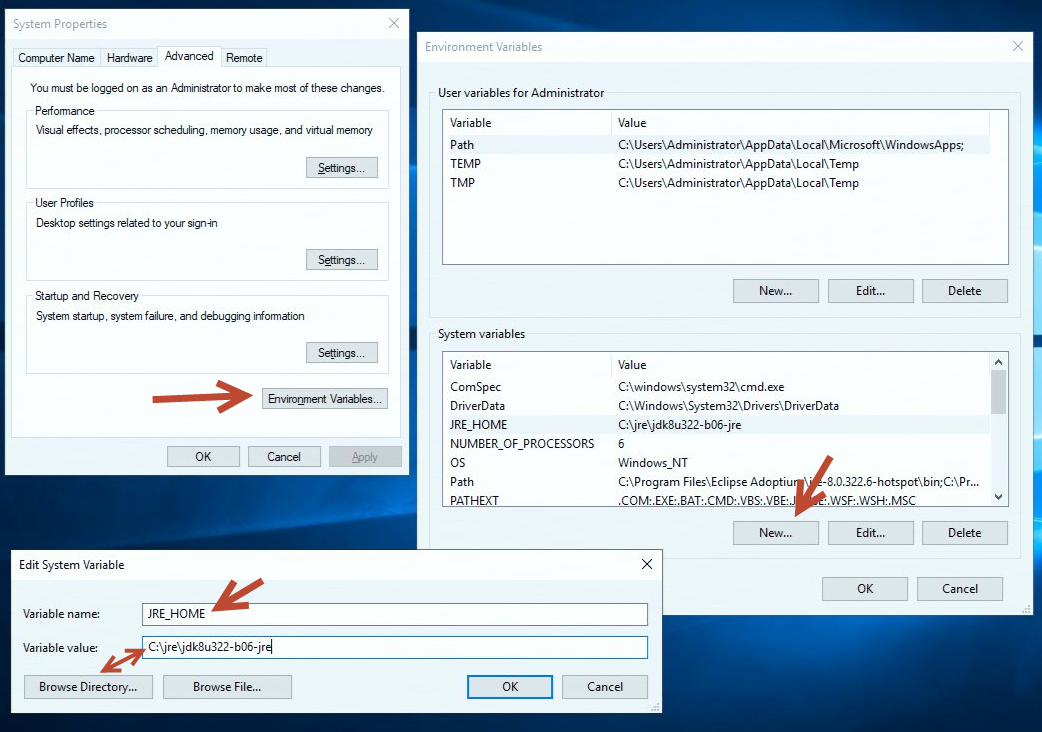
Add "JRE_HOME" to the "System Environment Variables"
The variable value is the path where you unzipped the contents of the previous step.
Reboot the system.
Install Megaraid Storage manager
Download: http://files.iba-benelux.be/raid/17.05.06.00_MSM_Windows.zip
Was this article helpful?
That’s Great!
Thank you for your feedback
Sorry! We couldn't be helpful
Thank you for your feedback
Feedback sent
We appreciate your effort and will try to fix the article