Note: link aggregation is only possible with Windows Server!
- Install Cisco FindIT (O:\C\Cisco)
- Open Cisco FindIT and search the network for your switches
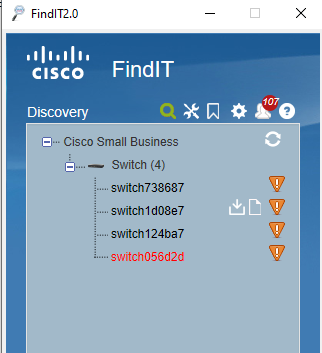
3. Right-click on the switch you want to configure. This will open the web-interface in your browser. It’s possible you need to confirm the unsafe connection.
Login using the default user cisco / cisco .
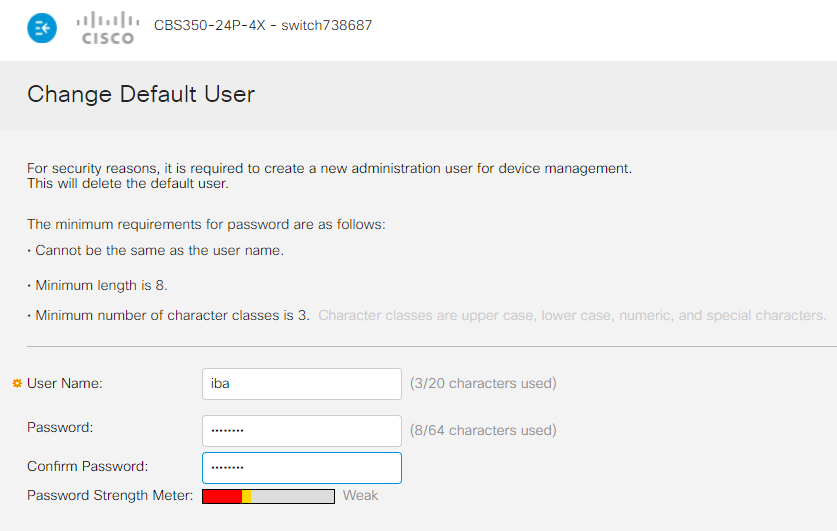
4. You will be promted to change the default user.
Add the new user: iba with password: 1Xadmin?
Apply the new config
5. A firmware update is often not necessary. Stable version confirmed working: 3.0.0.69 or 3.1.0.57
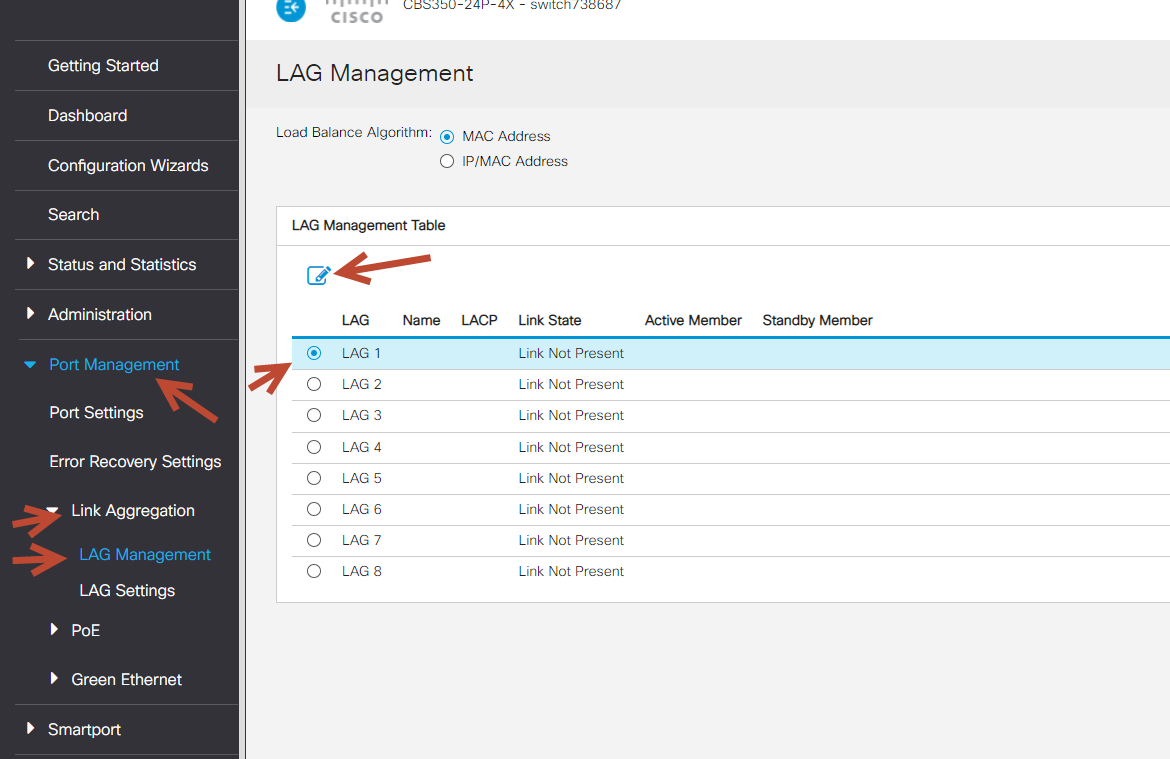
6. Open Port management > Link Aggregation > LAG Management on the left
And select LAG1. Now click the edit-button:
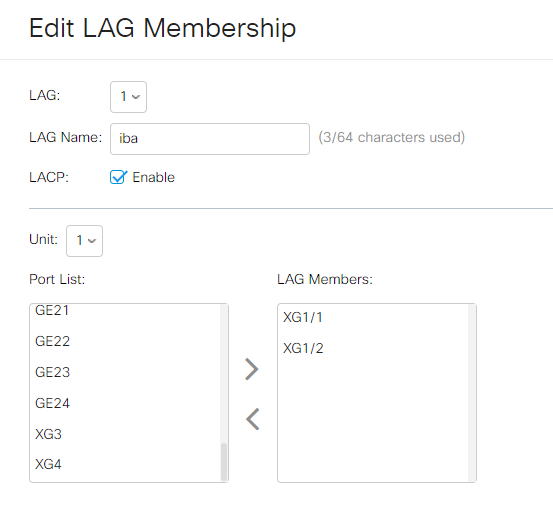
7. Make sure LACP is enabled and choose XG1/1 and XG1/2 in this configuration:
8. Go to the file operations (Administration > File Management > File Operation), choose Duplicate as Operation Type and Running configuration as Source File Name. This will set the current configuration as startup configuration.
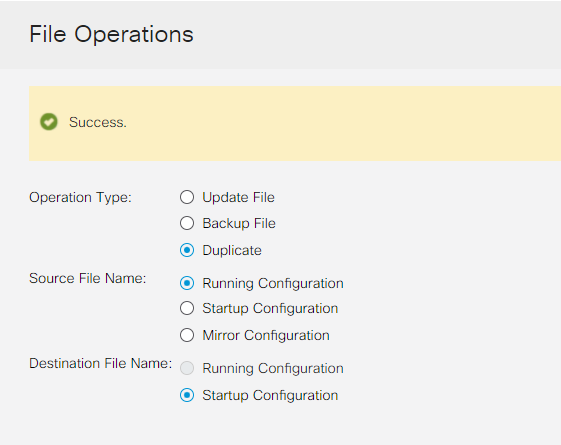
9. Reboot the switch and verify if the configuration is ok.
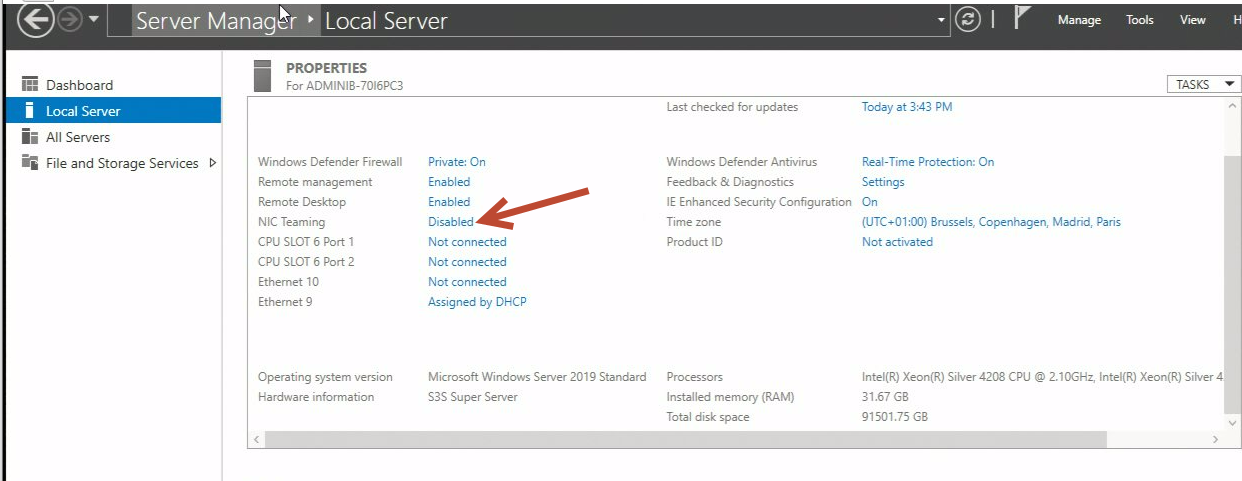
10. Open Server manager. Goto Local Server > Use Team
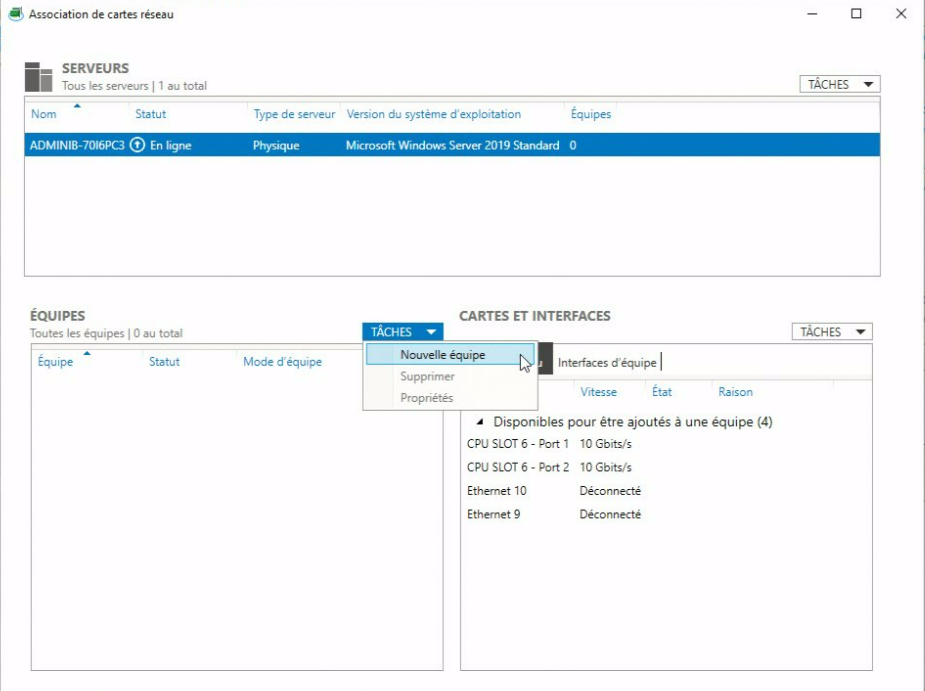
11. Add new team:
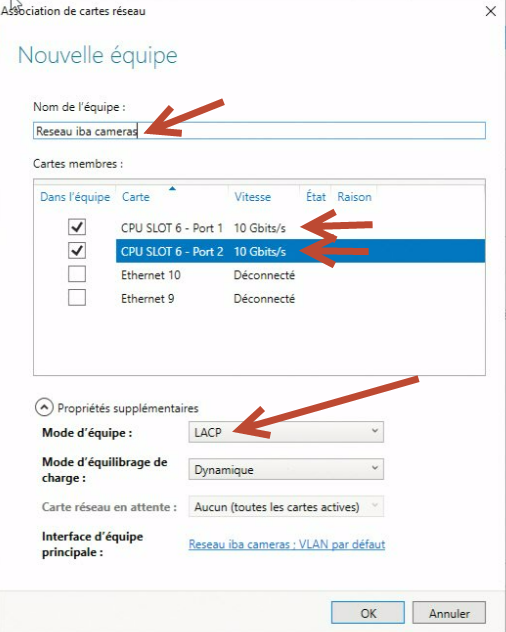
12. Add a name to the new team, select the required interfaces and make sure the mode is set to LACP:
This might take a minute to create. In the meantime the status will be error.
When ok:
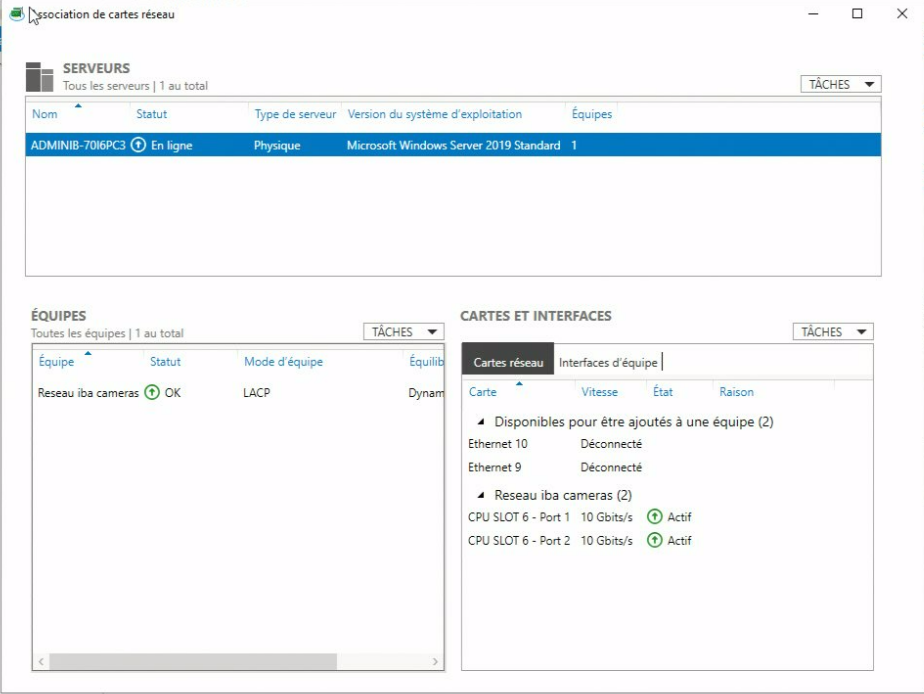
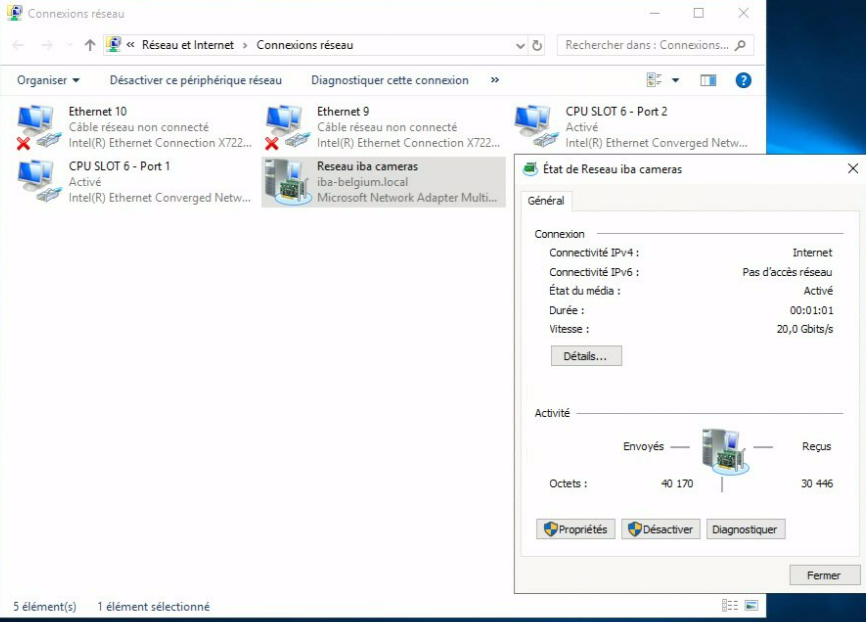
13. There will be a new adapter available with a speed equal to the speed of the aggregated links:
Was this article helpful?
That’s Great!
Thank you for your feedback
Sorry! We couldn't be helpful
Thank you for your feedback
Feedback sent
We appreciate your effort and will try to fix the article