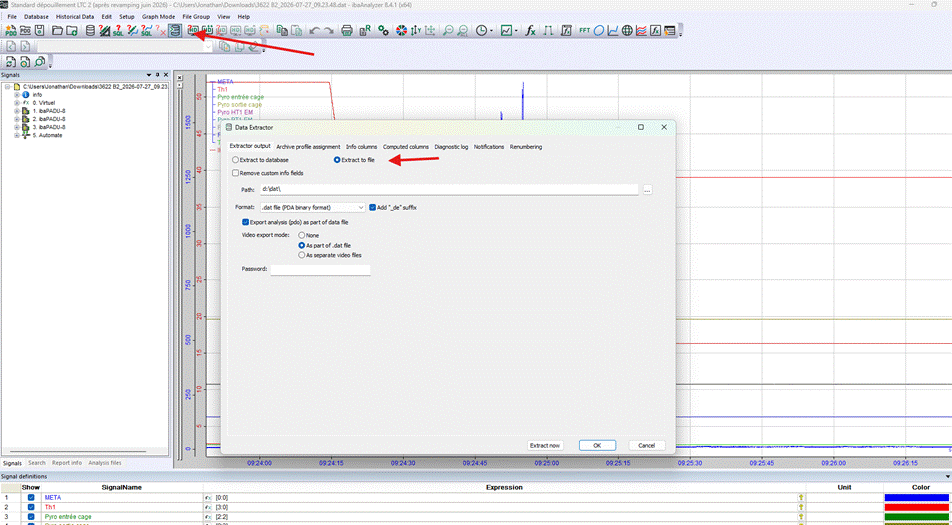
The first step is to configure the .dat file and the extraction task in Analyser:
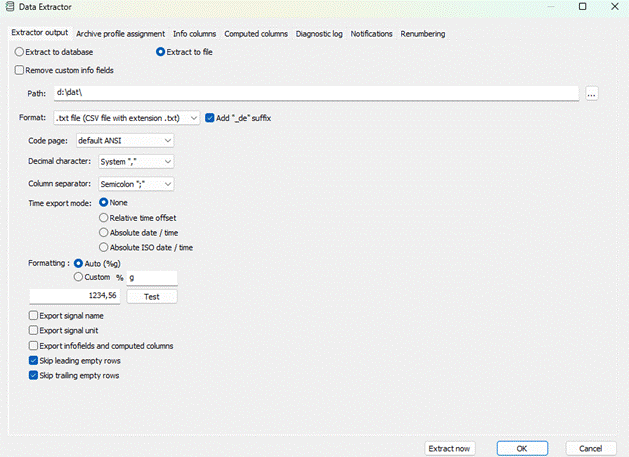
The second step is to select the file format or database to which you wish to export the data; in this particular case, it is the .txt format.
The third step is to choose which signals you wish to extract and how to go about it. 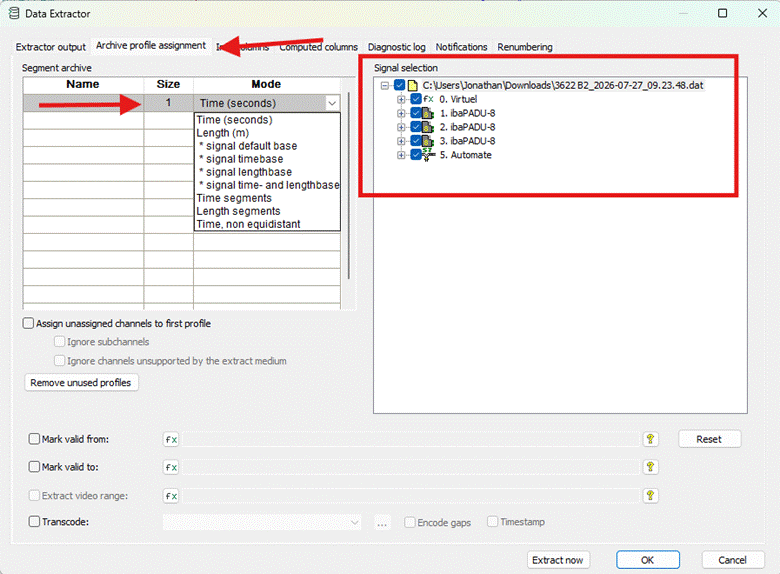
You can then test the extraction straight away and check whether the result is correct and meets your requirements
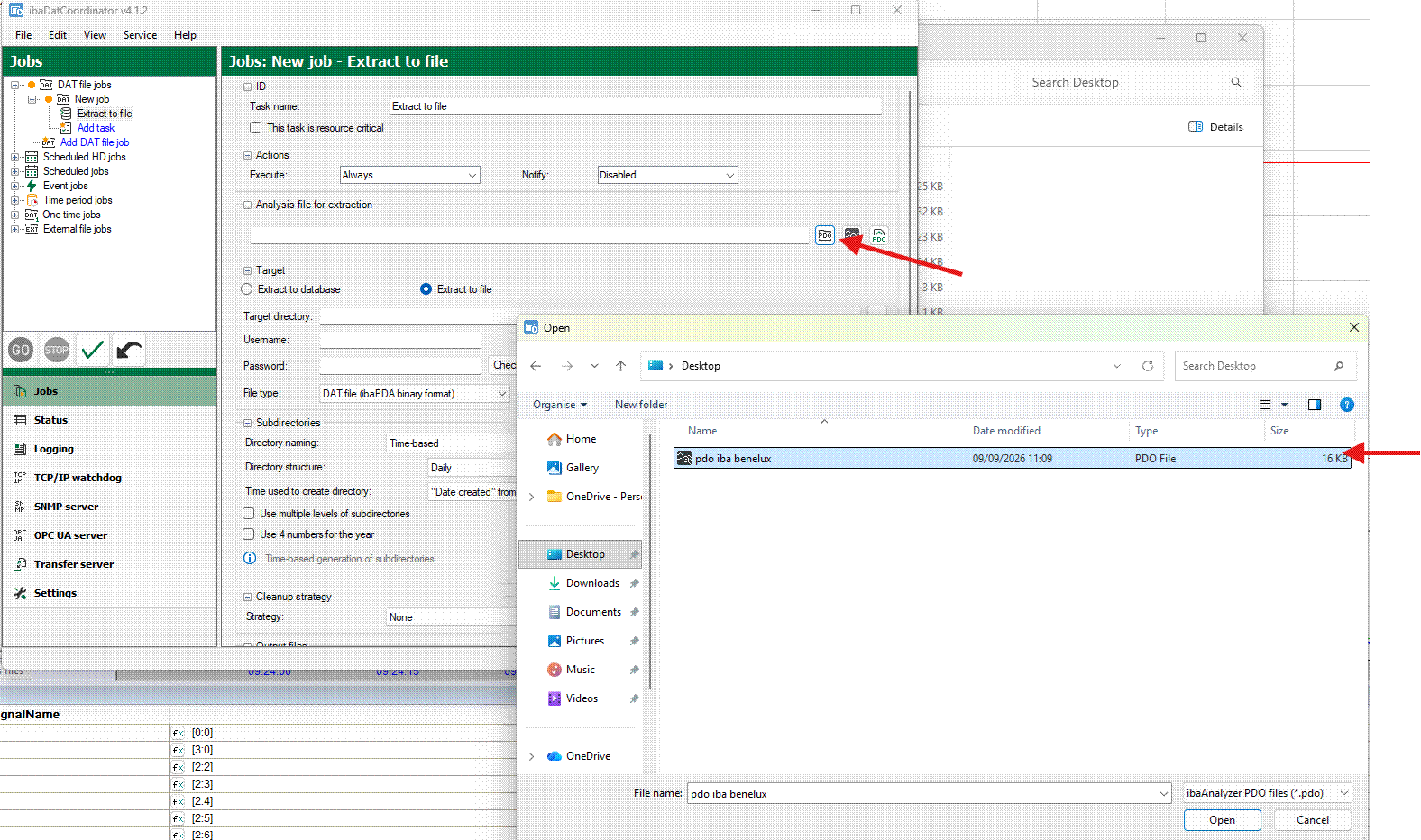
If you then set up a task in iba datco, you must select the .pdo file
All this information is also available in our documentation:
Was this article helpful?
That’s Great!
Thank you for your feedback
Sorry! We couldn't be helpful
Thank you for your feedback
Feedback sent
We appreciate your effort and will try to fix the article